Github SAML SSO

解决 Github SAML SSO 导致无法 clone 代码的问题
Cloning into 'xxx'...
remote: The 'xxx' organization has enabled or enforced SAML SSO.
remote: To access this repository, you must re-authorize the OAuth Application 'Visual Studio Code'.
fatal: unable to access 'xxx': The requested URL returned error: 403
缘起
新公司用 github,拉进 organization 之后,发现本地无法 clone 代码。报错说要重新授权,记录一下
解决方案
首先尝试用 ssh 克隆,但还是失败,但给出了更详细的解决方案:要么用 HTTPS,要么给 SSH 授权
Cloning into 'xxx'...
ERROR: The 'xxx' organization has enabled or enforced SAML SSO.
To access this repository, you must use the HTTPS remote with a personal access token or SSH with an SSH key and passphrase that has been authorized for this organization.
Visit https://docs.github.com/articles/authenticating-to-a-github-organization-with-saml-single-sign-on/站外链接 for more information.
fatal: Could not read from remote repository.
Please make sure you have the correct access rights and the repository exists.
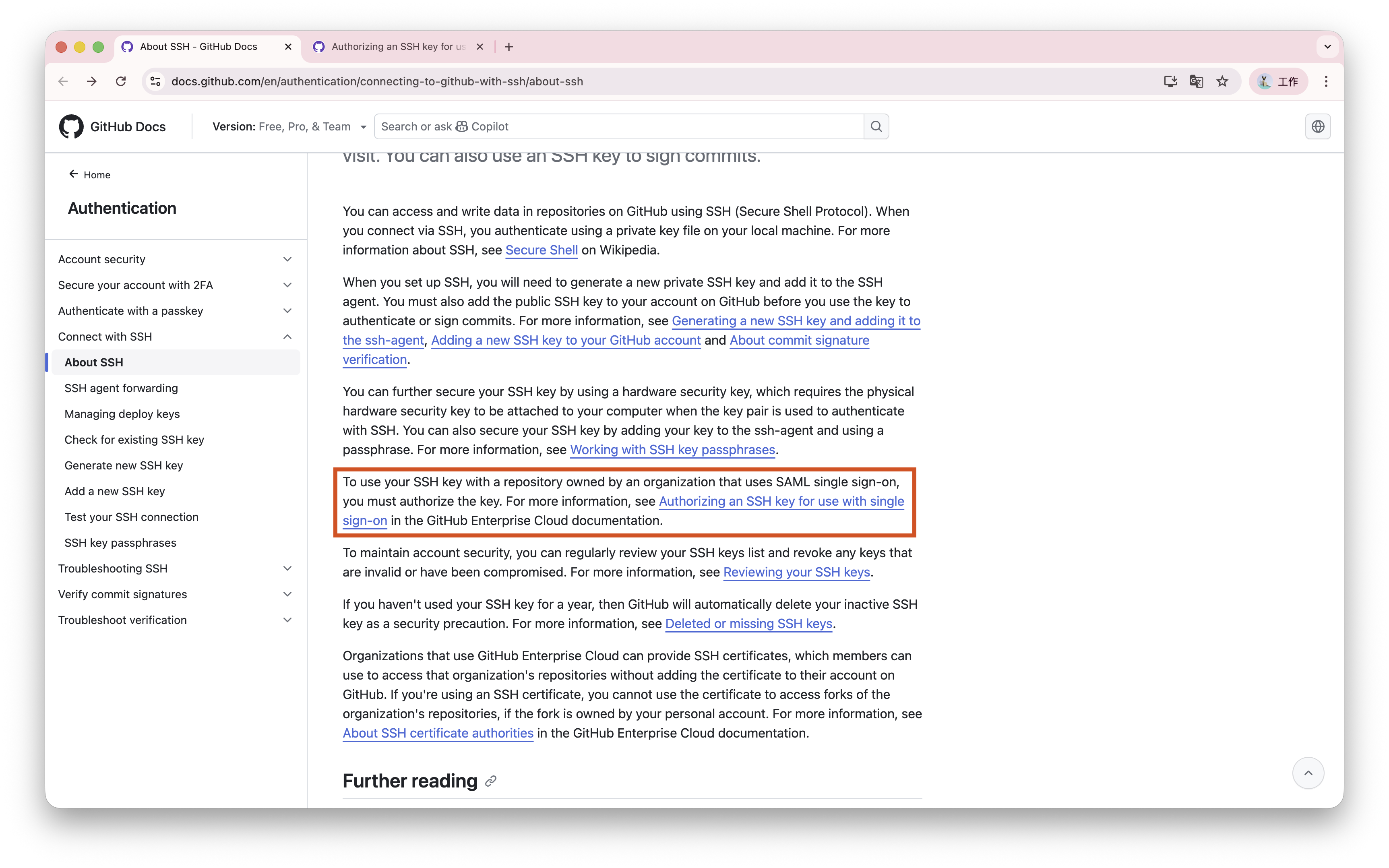
跟着它给出的文档,找到了如下的内容:
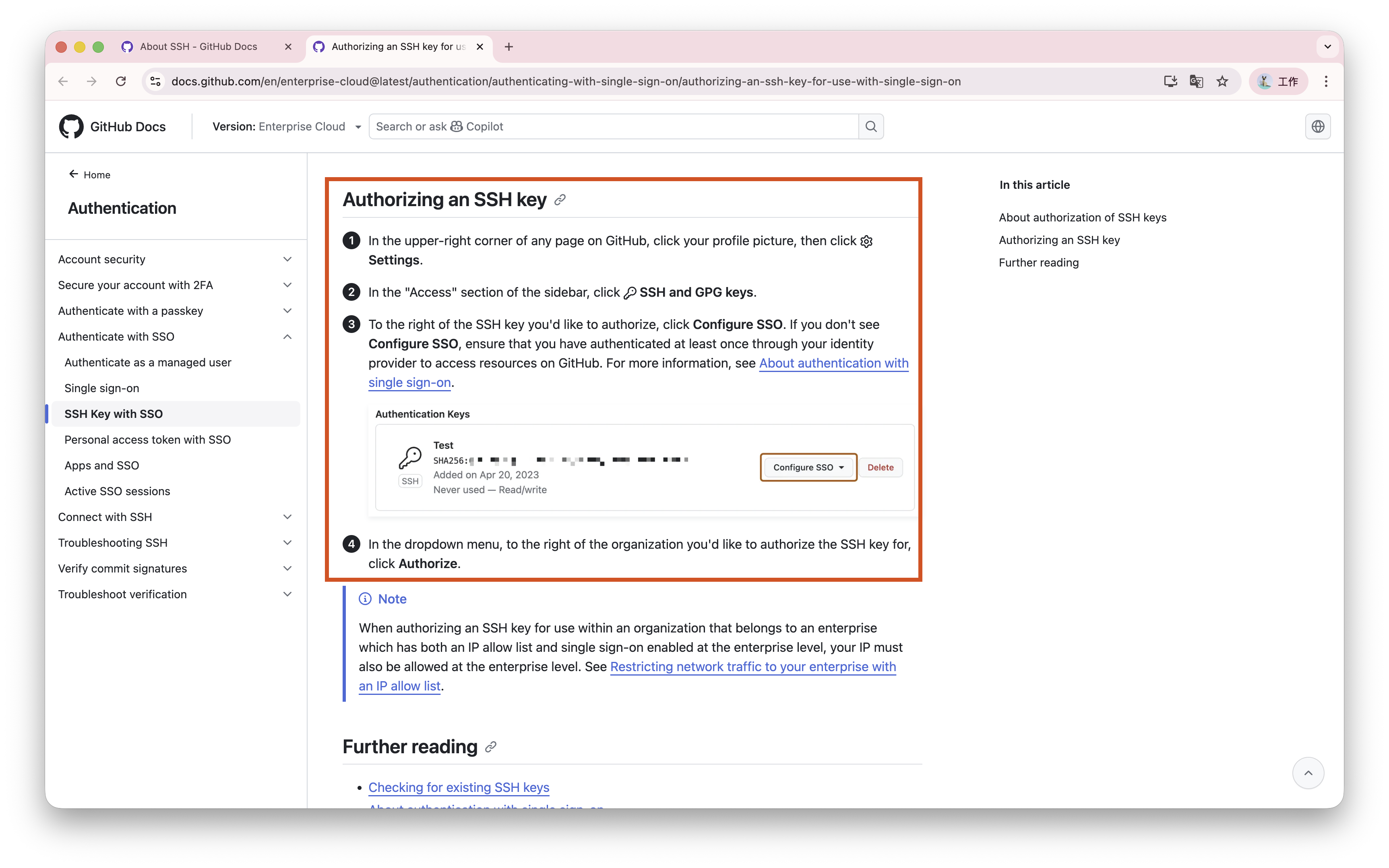
继续进一层,找到了如下内容:
最终解决办法如下:
- 访问 Github SSH Settings站外链接
- 在此处为对应 SSH 添加 SSO 权限
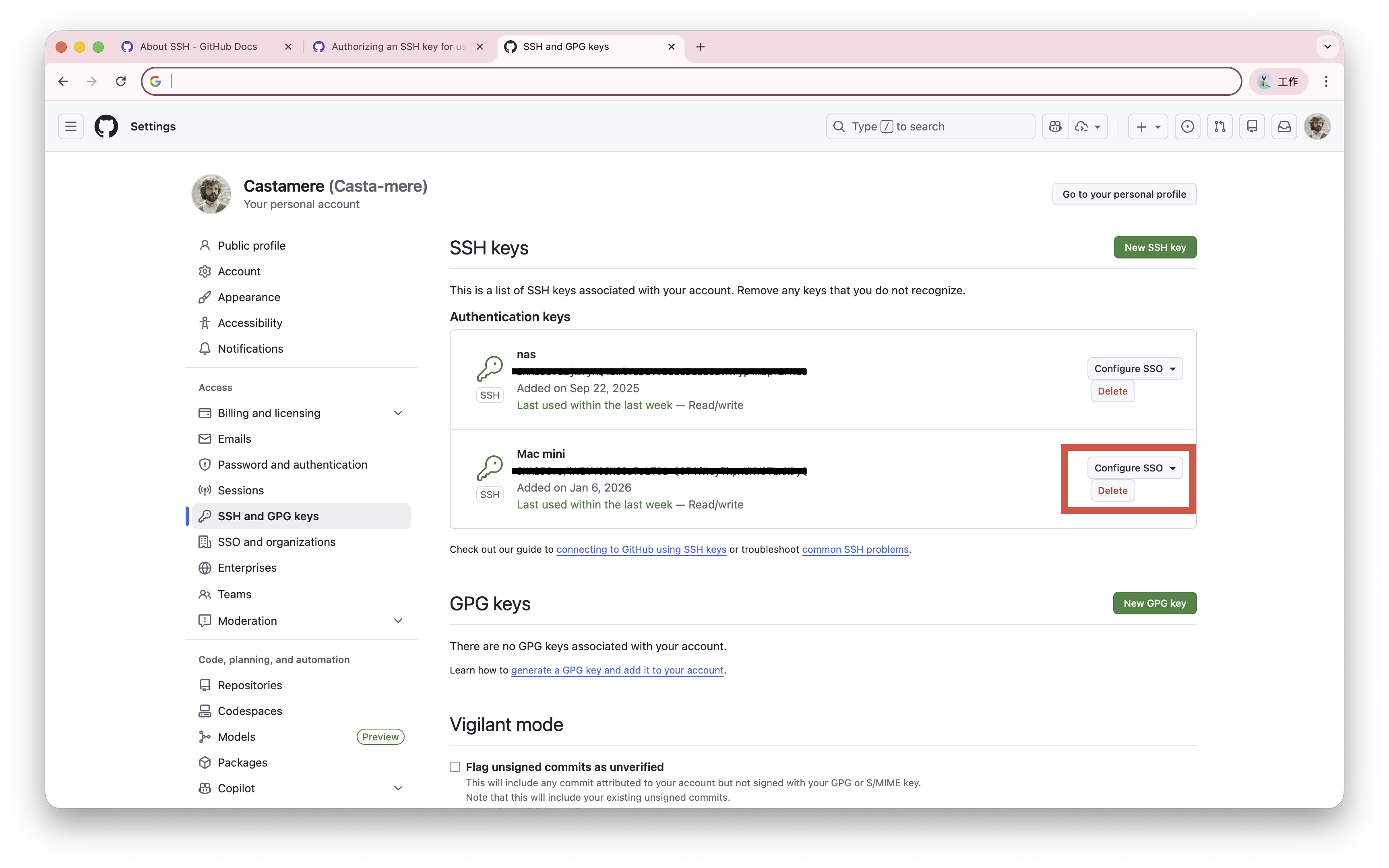
- 再回到本地,即可成功 clone
后记
使用如下命令,可以在全局范围内将 https 的 github 地址替换为 ssh 地址,如 go mod download 也能用 ssh 拉取代码
git config --global url."git@github.com:".insteadOf "https://github.com/"